> For the complete documentation index, see [llms.txt](https://kb.pvhostvm.ru/llms.txt). Markdown versions of documentation pages are available by appending `.md` to page URLs; this page is available as [Markdown](https://kb.pvhostvm.ru/hostvm-server/rukovodstvo-po-administrirovaniyu/khranilishe-dannykh/sozdanie-i-podklyuchenie-lokalnogo-khranilisha/podklyuchenie-lokalnogo-khranilisha.md).
# Подключение локального хранилища
Добавление через портал администрирования:
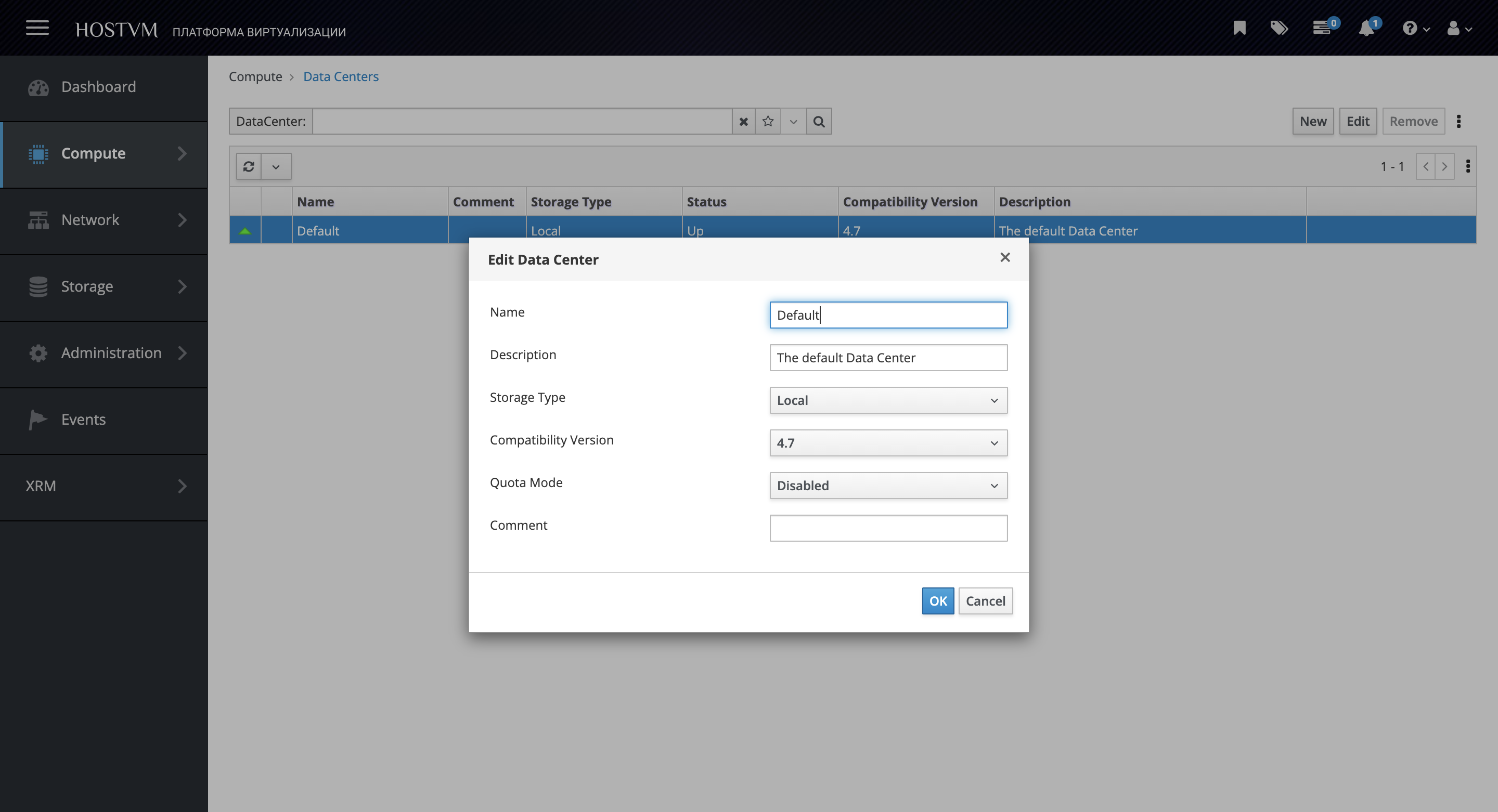
1. Перейдите в раздел "Compute" -> "Data Centers";
2. Измените «Data Centers», если локальное хранилище находится на том же хосте, или создайте новое, если оно размещено на другом;
3. Задайте имя "Data Centers";
4. Выберите параметр "Storage Type" -> "Local";
5. Нажмите OK.
6. Перейдите в раздел "Storage" -> "Domains";
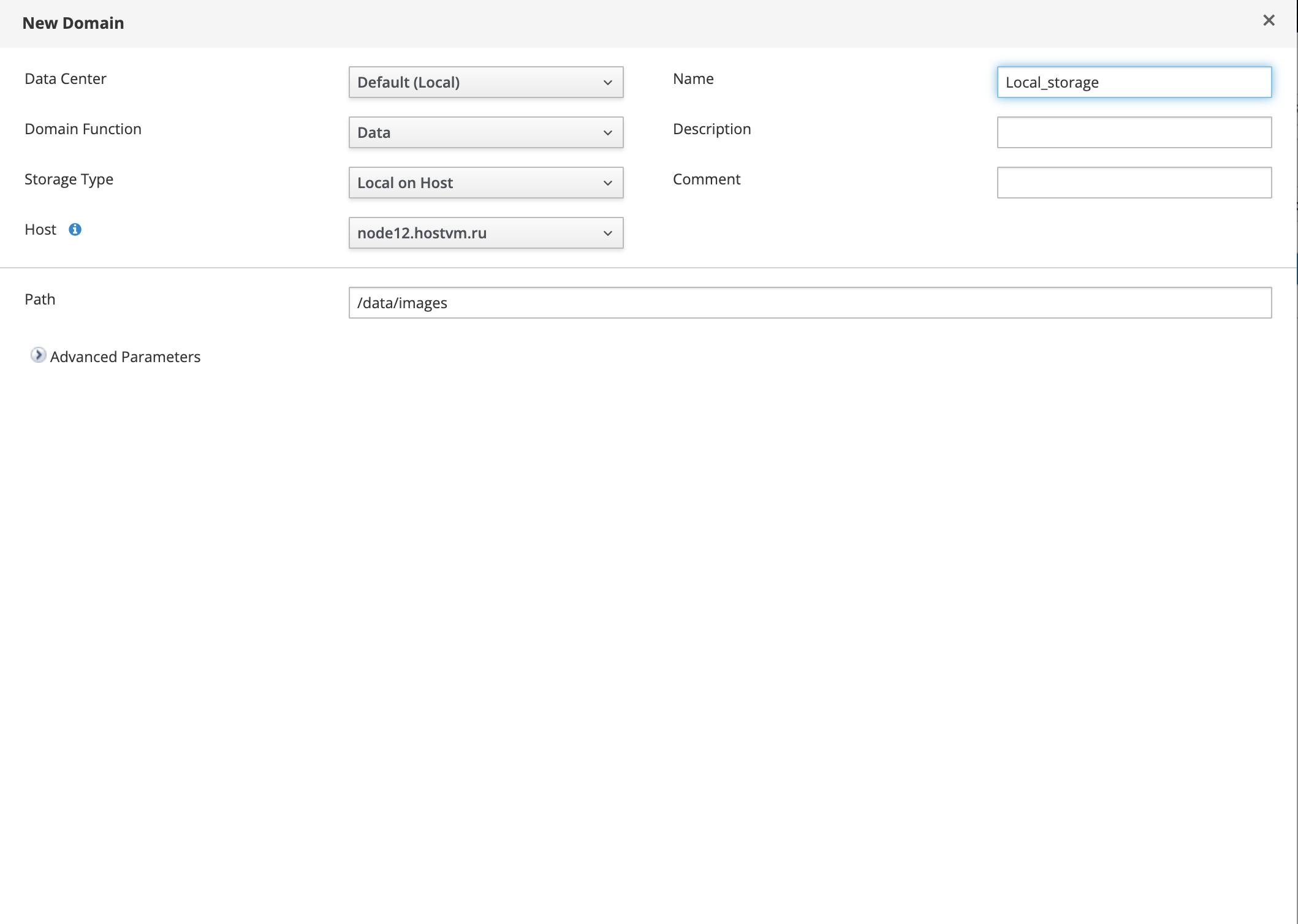
7. Нажмите «New», чтобы открыть окно диалога создания "Domains";
8. Задайте имя "Domain";
9. Выберите параметр "Storage Type" -> "Local on Host";
10. Укажите путь к каталогу локального хранилища в текстовом поле;
11. Нажмите OK.
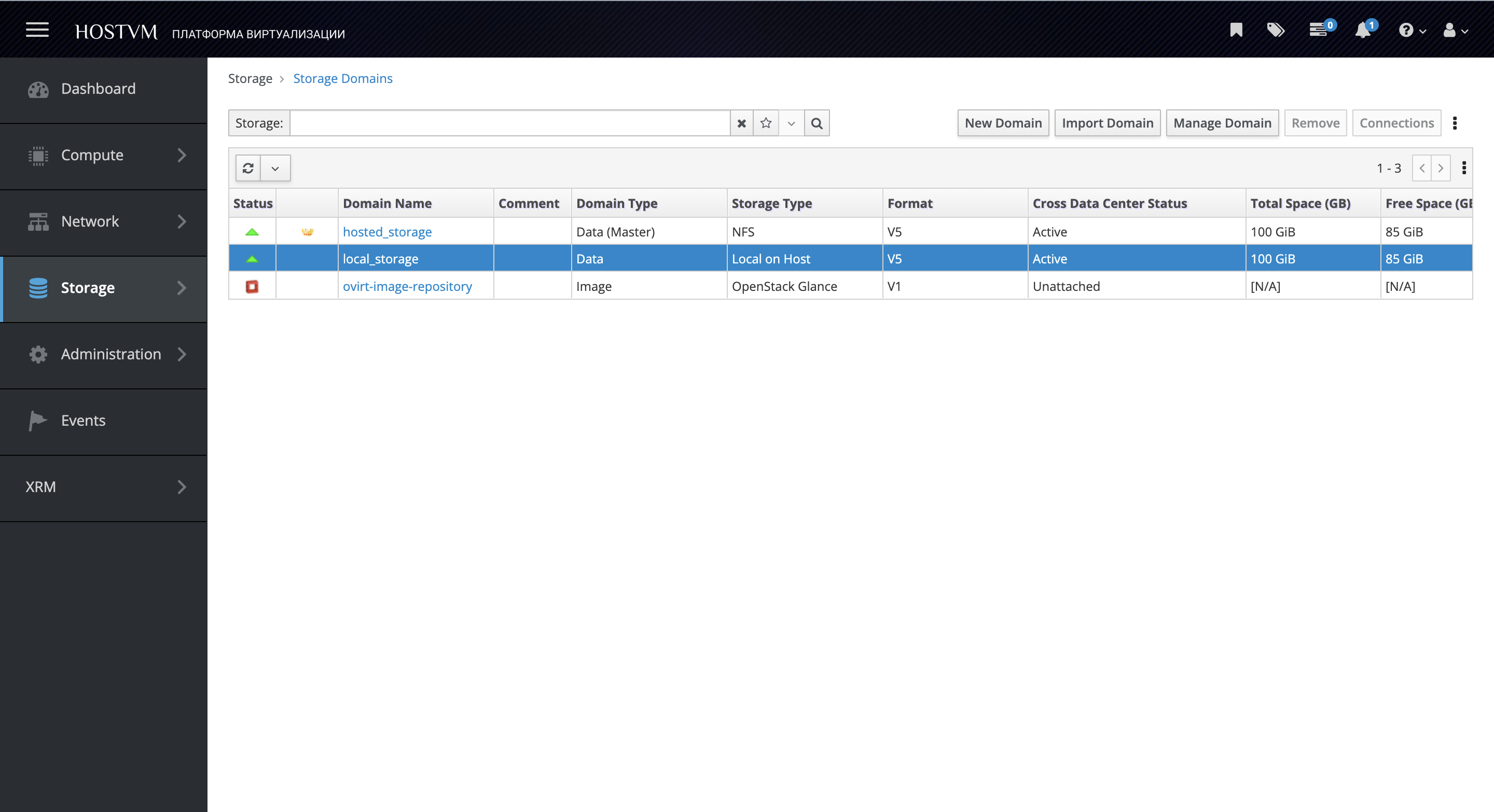
12. Убедитесь, что local storage domain отображается со статусом "Active" и типом "Local on Host":
13\. Локальное хранилище готово.