> For the complete documentation index, see [llms.txt](https://kb.pvhostvm.ru/llms.txt). Markdown versions of documentation pages are available by appending `.md` to page URLs; this page is available as [Markdown](https://kb.pvhostvm.ru/hostvm-server/rukovodstvo-po-administrirovaniyu/chasto-zadavaemye-voprosy/virtualnye-mashiny-i-shablony/vklyuchenie-modulya-tpm.md).
# Включение модуля TPM
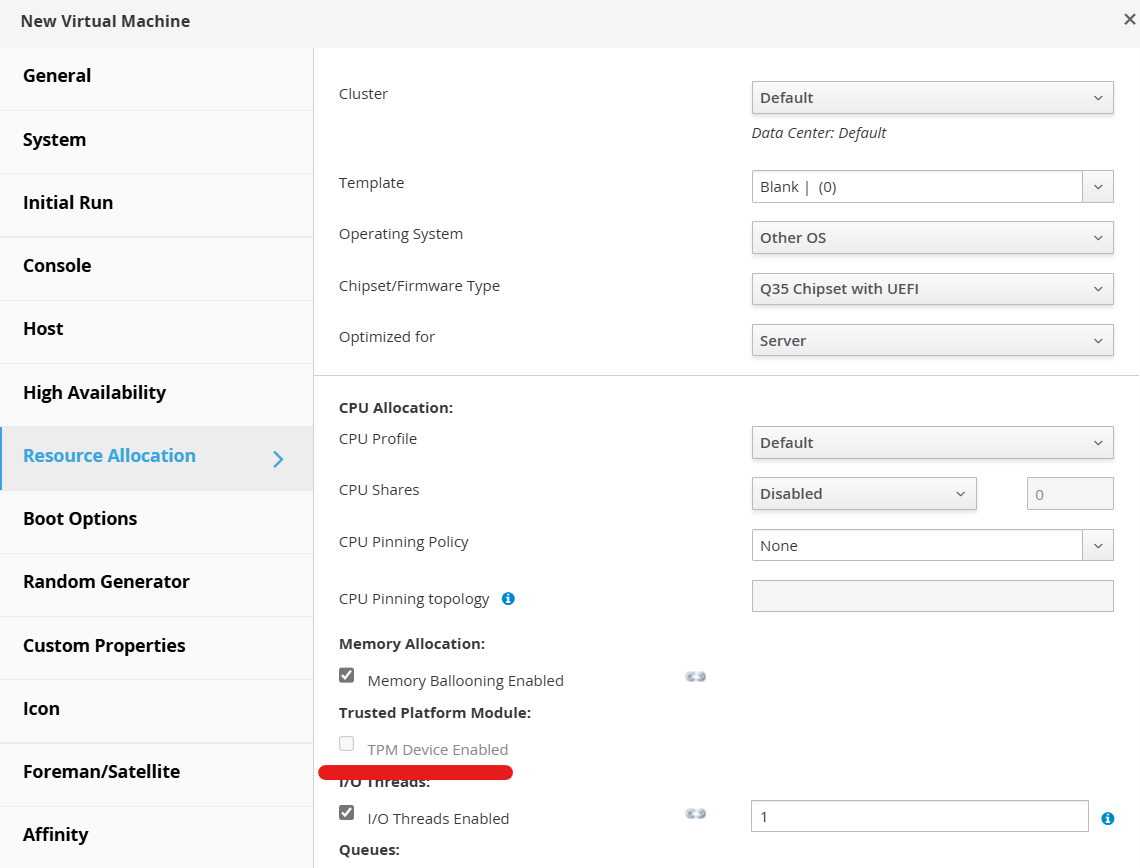
Данное руководство описывает действия по активации эмулируемого модуля TPM для виртуальных машин с повышенными требованиями к безопасности.
По умолчанию использование модуля TPM отключено.
Для включения модуля TPM необходимо выполнить следующие действия:
1. Создать новую ВМ
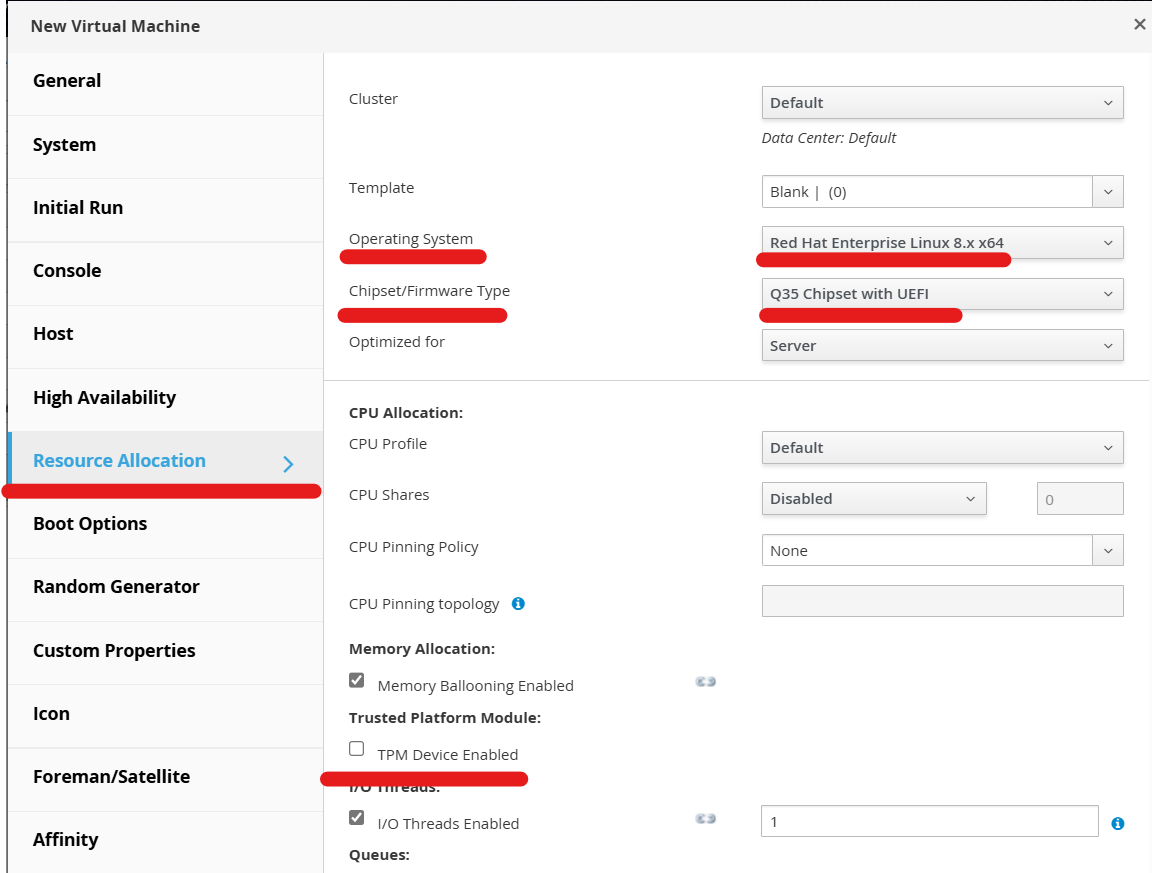
2. Перейти на вкладку Resourse Allocation
3. Выбрать Chipset/Firmware type:
* Q35 Chipset with UEFI\
или
* Q35 Chipset with UEFI Secure Boot
4. В поле Operating System указать одну из поддерживаемых ОС:
* Windows 8 или новее
* Windows Server 2012 или новее
* RHEL 7 или новее
После этих действий параметр TPM Device Enabled станет активным.