> For the complete documentation index, see [llms.txt](https://kb.pvhostvm.ru/llms.txt). Markdown versions of documentation pages are available by appending `.md` to page URLs; this page is available as [Markdown](https://kb.pvhostvm.ru/hostvm-server/rukovodstvo-po-administrirovaniyu/chasto-zadavaemye-voprosy/virtualnye-mashiny-i-shablony/migraciya-virtualnykh-mashin-mezhdu-datacentrami-hostvm.md).
# Миграция виртуальных машин между датацентрами HOSTVM
Данное руководство описывает действия по переносу виртуальных машин и связанных ресурсов между датацентрами платформы.
Датацентры являются отдельными объектами в среде HOSTVM, между этими двумя объектами нет общих путей хранения. Следовательно, для перемещения виртуальных машин между датацентрами необходимо установить внешнее подключение к обоим датацентрам через домен экспорта.
Процесс миграции включает в себя:
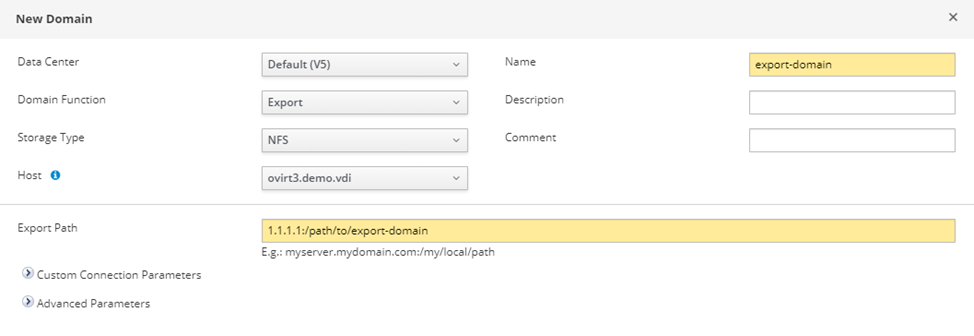
1\) Создание домена экспорта и подключение его к датацентру1:
Для создания домена экспорта можно использовать nfs-share, с процедурой ее создания можно ознакомиться в главе [Подготовка NFS share](/hostvm-server/installation-guide/ustanovka-hostvm-4.3-4.4/pered-ustanovkoi-hostvm-manager/podgotovka-nfs-share.md)
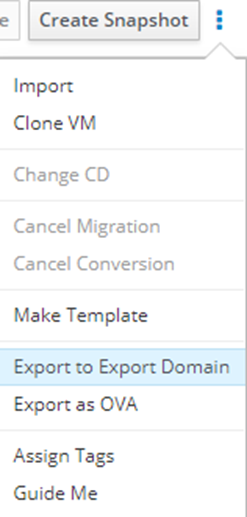
2\) Перенос виртуальных машин в домен экспорта из datacenter1:
`Compute -> Virtual Machines -> выбирате ВМ -> ⋮ -> Export to Export Domain`
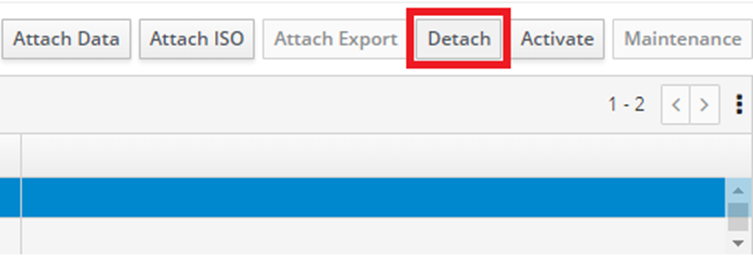
3\) Отсоединение домена экспорта от датацентра1:
`Data Centers -> выбираете data center -> выбираете Export Domain -> Maintenance -> Detach`
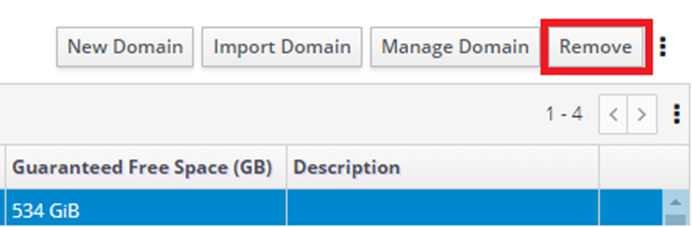
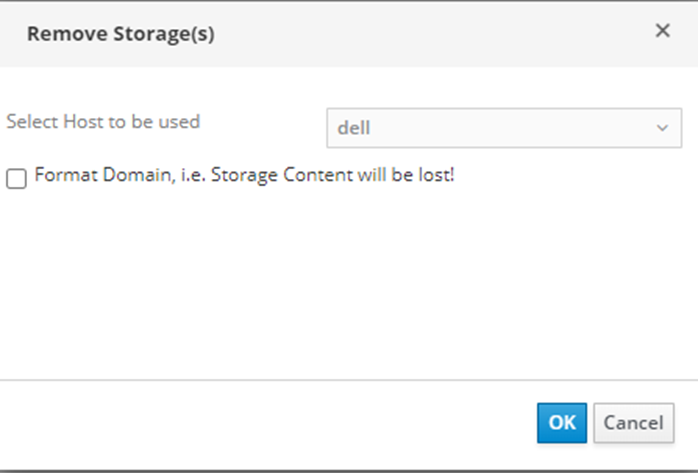
Далее `Storage -> domains -> выбираете export domain -> remove`
{% hint style="warning" %}
**Важно!** Чек-бокс Format Domain отмечать не нужно, иначе все данные будут утеряны.
{% endhint %}
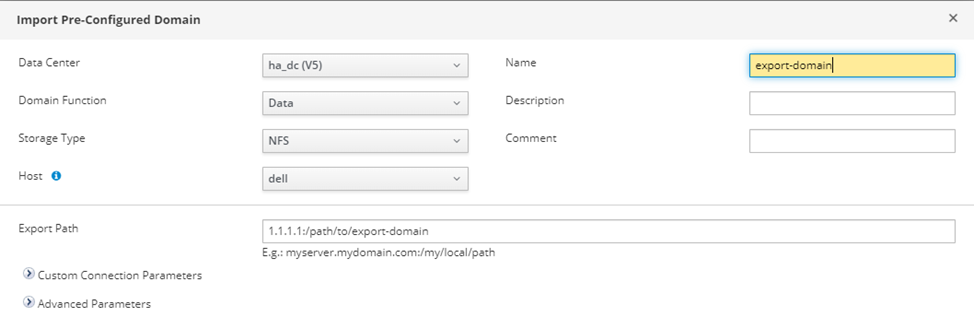
4\) Подключение д*омена экспорта к датацентру2:*
`Storage -> Domains -> Import Domain`
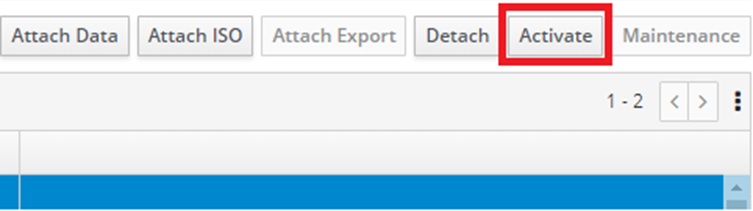
После добавления домена активируйте его:
`Data Centers -> выбираете datacenter -> domain -> activate`
5\) Импорт виртуальных машин в datacenter2:
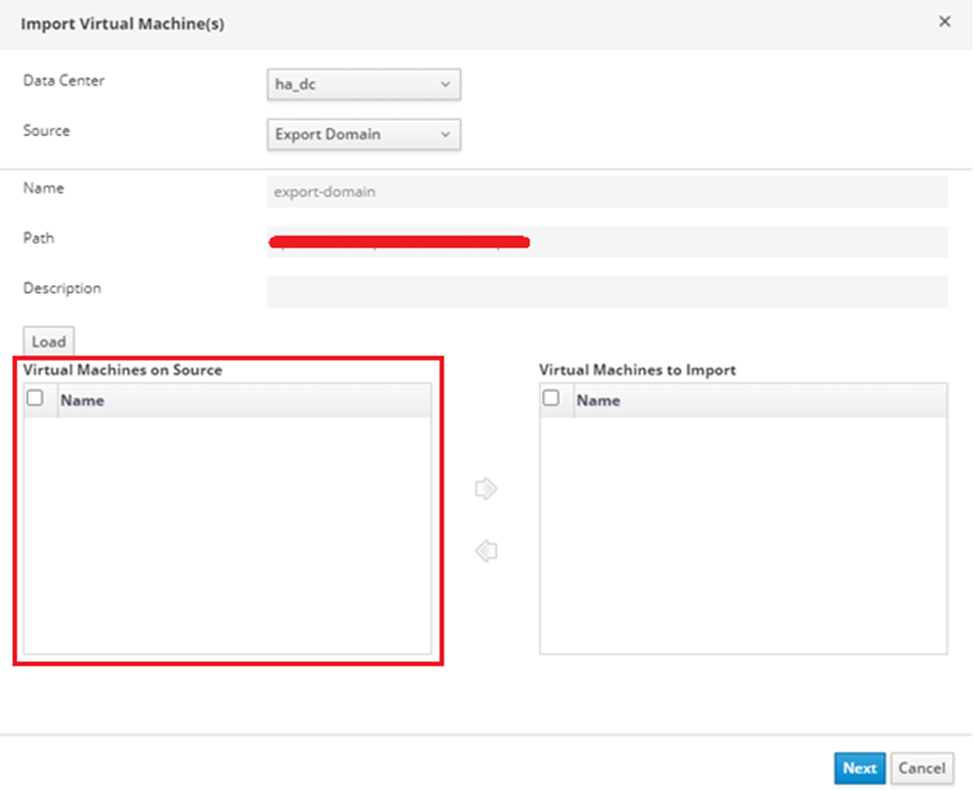
`Compute -> Virtual Machines -> ⋮ -> Import -> Load`
В поле Virtual Machines on Source будут отображены доступные ВМ для импорта